LATEX REFERENCE
Square Root in LaTeX: \sqrt{}, nth Roots, and Fractions Under the Radical
One command typesets every root in LaTeX — \sqrt{} — and this reference covers it end to end: math mode, cube and nth roots, the quadratic formula, nested roots and fractions, plus the three mistakes that break it for beginners.
The Answer in One Line: \sqrt{x} and \sqrt[n]{x}
Everything here rests on one short command, given before anything else. For an nth root, add the index in square brackets. No package is needed — \sqrt is part of the LaTeX kernel and works in every standard document class, in Overleaf, and in tools that borrow LaTeX math syntax.
\sqrt{x}        square root of x
\sqrt[3]{8}     cube root of 8  = 2
\sqrt[n]{x}     nth root of x
Copy that block into any math region and it compiles. The catch is the two wrappers around it: the math-mode delimiters, and the braces that say exactly what belongs under the bar. Most beginner errors with roots are really one of those two wrappers going missing. The sections below take the command apart, then put it to work in the quadratic formula, nested roots, and fractions.
| Command | Typesets | Use it for |
|---|---|---|
\sqrt{x} | Radical with a bar over x | Any square root |
\sqrt[3]{x} | Cube root of x | Cube roots |
\sqrt[n]{x} | nth root of x | General root statements |
\surd | The bare √ sign, no bar | Talking about the sign itself |
x^{1/2} | x to the power one half | Algebra where exponent form is clearer |
\frac{a}{b} | The fraction a over b | Fractions inside or outside roots |
\displaystyle\sqrt{x} | Display-sized root inside a line | Occasional inline emphasis |
Notice what is not in the table: the Unicode character √. Pasting it into a .tex file does not create a LaTeX radical — at best you get a fixed-size character that never stretches; often you get an error or a missing glyph. Only \sqrt draws the radical that grows to fit. For the character itself on a web page, see the square root symbol in HTML guide, whose code table lists LaTeX alongside HTML entities because the two systems solve the same-looking problem very differently.
Math Mode First: Inline vs. Display
\sqrt is a math command, so it only works inside math mode. LaTeX gives you two everyday ways in. Wrap code in single dollar signs — $\sqrt{x}$ — for a root that flows inside a sentence, like this statement that the hypotenuse is $\sqrt{x^2 + y^2}$ long in code form. Or put the expression on its own line between \[ and \] for display math, where the radical is drawn larger, fractions get full height, and the result reads as the centerpiece of the page.
Forget the delimiters and LaTeX stops with the error beginners meet first: “Missing $ inserted.” It means a math-only command appeared in ordinary text and LaTeX guessed you forgot to open math mode — the command itself is fine. Add the dollar signs or display brackets and the same code compiles. Inline roots are also deliberately compact so they do not wreck line spacing, so a root that looks small mid-paragraph but full-size on its own line is working as designed.
Basic Square Roots and the Braces Rule
With math mode open, the pattern is \sqrt{radicand}: $\sqrt{9} = 3$, $\sqrt{x}$, $\sqrt{x+1}$. The braces are the grouping mechanism — everything inside them goes under the bar, and the bar stretches to cover exactly that. This is where the most common beginner bug lives, because \sqrt without braces takes only the next single token as its argument.
| Code | What you get | Verdict |
|---|---|---|
\sqrt x+1 | Root over x alone, then + 1 outside | Usually the bug — not what was meant |
\sqrt{x+1} | Root over the whole of x + 1 | Correct for the root of a sum |
\sqrt{x}+1 | Root over x, then + 1 outside | Correct code — but different math |
Read rows one and three carefully: they typeset identically, because in both only x is under the bar. Row three is honest code from someone who meant “root x, plus one”; row one is the same output by accident, from someone who meant row two. When a compiled root covers only one letter, missing braces are the cause almost every time. Single characters hide the rule — \sqrt x and \sqrt2 work because one token is the whole radicand — which is why the habit survives until the first x+1.
Cube Roots and nth Roots: The Index Goes in Square Brackets
For any root beyond a square root, add an optional argument in square brackets before the braces: \sqrt[n]{x}. The cube root of 8 is $\sqrt[3]{8} = 2$, the fourth root is \sqrt[4]{x}, and the general form with a variable index is \sqrt[n]{x}. Square roots leave the index out because 2 is the understood default — writing \sqrt[2]{x} is legal but nonstandard, like writing the 2 in ordinary notation.
Placement is the whole game. The index belongs in brackets, before the braces, and nowhere else: \sqrt{3}{x} typesets the square root of 3 followed by a separate x — not a cube root — and \sqrt{x}[3] prints a square root with a stray bracketed 3 after it. If your cube root looks like a square root with numbers nearby, the index is in one of those wrong places. Fine-tuning commands such as \leftroot and \uproot can nudge the index by tiny amounts, but that is advanced cosmetic work; the default placement is correct for nearly every document.
The Quadratic Formula, Worked End to End
The quadratic formula is the standard test of everything above — a fraction, a ±, a power, and a root that must cover a whole expression. Here it is as one display equation:
\[
  x = \frac{-b \pm \sqrt{b^2 - 4ac}}{2a}
\]
Take it apart from the inside out. \sqrt{b^2 - 4ac} is the discriminant under its bar; the braces are doing real work, because without them only the b would sit under the root. \pm gives the plus-or-minus sign, b^2 uses braces-free superscript because the exponent is a single token, and \frac{...}{2a} wraps the entire numerator, root included, over the denominator. Compiled, the fraction line sits at the equals sign, the radical bar stretches across the full discriminant, and each of those behaviors came free from the structure of the code — you sized nothing by hand.
A second workhorse is $\sqrt{x^2 + y^2}$, the core of the distance formula: an inline root with short contents, kept compact so the sentence keeps even spacing. Same command, two sizes — the radical adapts to its contents and context, which a pasted symbol can never do. While you typeset, our square root table and square root calculator are handy value checks.
Nested Roots, Fractions Under Roots, and Roots in Denominators
Roots nest by simple substitution: wherever a radicand can go, another root can go. \sqrt{\sqrt{x} + 1} puts a complete inner root inside the outer one, and each bar covers its own contents. Fractions behave the same way. A fraction under a root is \sqrt{\frac{a}{b}} — the \frac sits inside the braces, and the radical grows taller to cover the stacked fraction. The showcase example combines both ideas with an nth root:
$\sqrt[3]{\frac{x}{y^{1/2}}}$That one line holds a cube root (index in brackets), a fraction (inside the braces), and a fractional exponent — the y^{1/2}, where braces matter again because 1/2 is three tokens, not one. Roots also appear in denominators, as in \frac{1}{\sqrt{2}}; whether to rationalize that into \frac{\sqrt{2}}{2} is a style decision, not a coding problem. If tall contents look cramped inline, move the expression to display math, where fractions and roots get full height automatically.
\surd vs. \sqrt, and \sqrt as x^{1/2}
LaTeX also provides \surd, which draws the bare radical sign √ with no bar and no argument. Its job is writing about the symbol — in a sentence on notation or a symbol list — not typesetting roots. If you catch yourself writing \surd x to mean the root of x, switch to \sqrt{x}: with \surd nothing groups x, and the reader is misled about what is being rooted.
The same root can be written as a fractional power: \sqrt{x} and x^{1/2} are the same value, and nth roots become x^{1/n}. Exponent form suits long algebraic manipulations and power-rule work; radical form is usually clearer for final answers, geometric lengths, and discriminants. One disambiguation: \square (from amssymb) draws a small geometric square outline. It is not a root of any kind.
Principal root reminder: the symbol means the non-negative root, in LaTeX just as on paper. $\sqrt{36} = 6$ is the correct typeset statement; the equation $x^2 = 36$ is a different statement, with solutions $x = \pm 6$. Typesetting the first when you mean the second is a math error that no amount of correct code will fix.
Writing Roots in Overleaf: Blank Project to Compiled PDF in 5 Steps
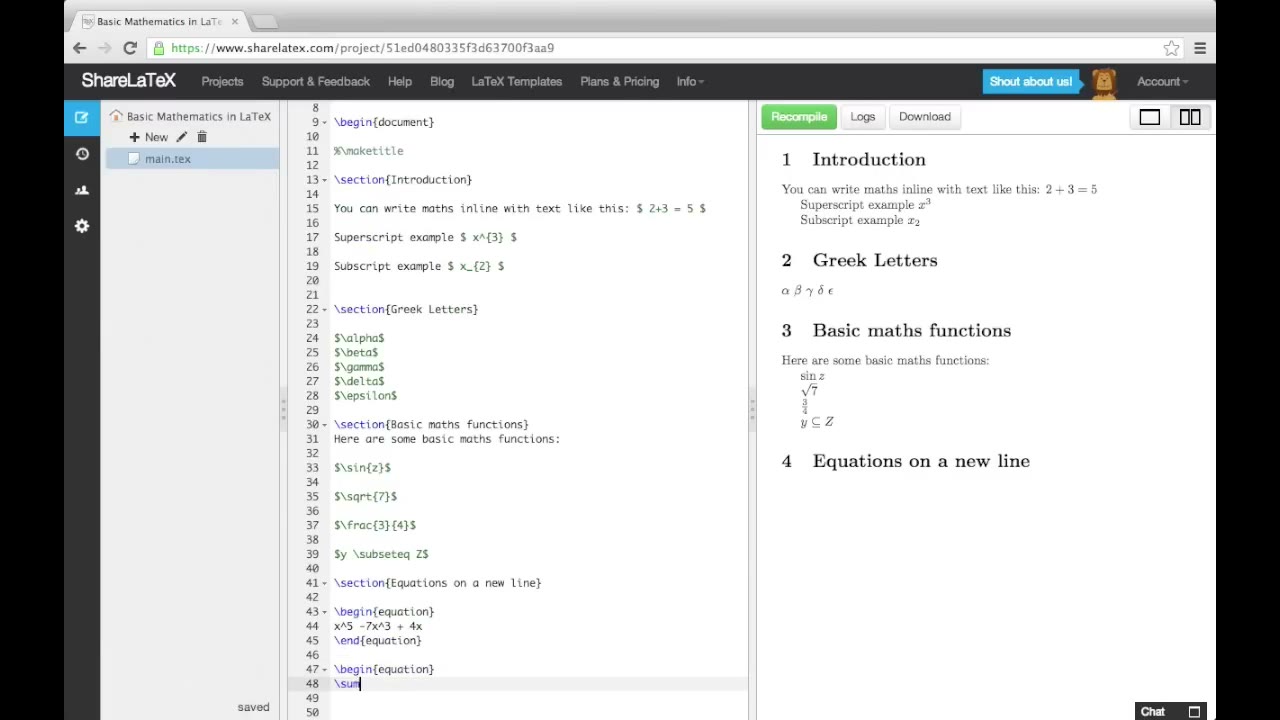
Overleaf needs no setup for roots, because \sqrt is built in. (1) Create a new blank project. (2) Leave the default article preamble as it is — add no packages. (3) Inside the document body, write a sentence containing $\sqrt{x}$ and a displayed formula such as the quadratic formula from this page. (4) Press Recompile and check the PDF pane: the inline root sits in the sentence, and the displayed root gets the full-size radical. (5) If the log shows “Missing $ inserted,” hunt for a \sqrt typed outside math mode, fix the delimiters, and recompile. Here is a complete minimal document you can paste in and compile unchanged:
\documentclass{article}
\begin{document}
The hypotenuse is $\sqrt{x^2 + y^2}$ long.
\[
  x = \frac{-b \pm \sqrt{b^2 - 4ac}}{2a},
  \qquad \sqrt[3]{8} = 2
\]
\end{document}
The same syntax travels beyond Overleaf: Jupyter, Notion, and many Markdown editors render LaTeX-style math through MathJax or KaTeX, and \sqrt{} and \sqrt[n]{} work there unchanged, usually with $...$ or $$...$$ delimiters. Programmers meet the same operation as a function instead — see square roots in Python — and our square root symbol in PowerPoint guide covers the slide-deck equivalent. For the math itself, try how to simplify square roots.
Troubleshooting: The Three Mistakes That Break \sqrt
- “Missing $ inserted”: the command is outside math mode. Wrap it in
$...$for inline math or\[...\]for display math. - The bar covers only one letter: the braces are missing. Change
\sqrt x+1to\sqrt{x+1}so the whole radicand is the argument. - The index is in the wrong place: the root index belongs in square brackets before the braces —
\sqrt[3]{x}, never\sqrt{3}{x}. - The root looks small in a paragraph: that is inline style being compact by design. Use display math for the expression, or, sparingly,
\displaystylebefore the root inside the line. - The radical looks cramped around tall fractions: display mode gives the contents full height. Fine index nudges with
\leftrootand\uprootexist, but they are cosmetic, advanced, and almost never needed. - A pasted √ errors or vanishes: it was never LaTeX. Replace the pasted character with
\sqrt{...}and let LaTeX draw the radical itself.
Keep those three checks in order — mode, braces, brackets — and nearly every broken root you will ever compile is fixed in under a minute.
Frequently Asked Questions
How do you write a square root in LaTeX?
Use \sqrt{} inside math mode: $\sqrt{x}$ for an inline root, or \[ \sqrt{x} \] for a displayed one. The radicand goes in the braces and the radical bar stretches over it automatically. No package is needed, because \sqrt is built into the LaTeX kernel.
How do you write an nth root or a cube root in LaTeX?
Add the index in square brackets before the braces: \sqrt[n]{x} for the nth root and \sqrt[3]{8} = 2 for a cube root. The index never goes inside the braces — \sqrt{3}{x} typesets the square root of 3 followed by x, which is not a cube root.
Do I need a package for \sqrt in LaTeX?
No. \sqrt and \surd are part of the LaTeX kernel and work in a plain document with no \usepackage lines at all. Packages only enter the picture for extras such as fine index positioning or unrelated symbols like \square from amssymb — and \square is a geometric square, not a root.
Why does my square root only cover one letter in LaTeX?
Because the braces are missing. Without braces, \sqrt takes only the next single token as its argument, so \sqrt x+1 puts only x under the bar and leaves the +1 outside. Write \sqrt{x+1} to cover the whole expression — and note that \sqrt{x}+1 typesets the same as the buggy version, but means different math.
Why do I get 'Missing $ inserted' when I type \sqrt?
That error means \sqrt was used outside math mode. \sqrt is a math-only command, so LaTeX assumes a $ sign was forgotten. Wrap the expression in $...$ for inline math or \[...\] for display math and it compiles. The $ signs are part of the answer, not decoration.
What is the difference between \sqrt and \surd in LaTeX?
\sqrt draws the full radical: the sign plus the vinculum bar stretched over its braced argument, as in \sqrt{x+1}. \surd draws only the bare √ sign, with no bar and no argument, and is used when writing about the symbol itself. For actual roots, always use \sqrt.